Client communication without the administrative drag

Spend less time chasing documents and repeating case updates.

BetterDocket keeps clients informed, collects what each matter needs, and shows your team where attention is required—so you can focus on the legal work clients hired you to do.

14-day free trial. No credit card required. See it in action

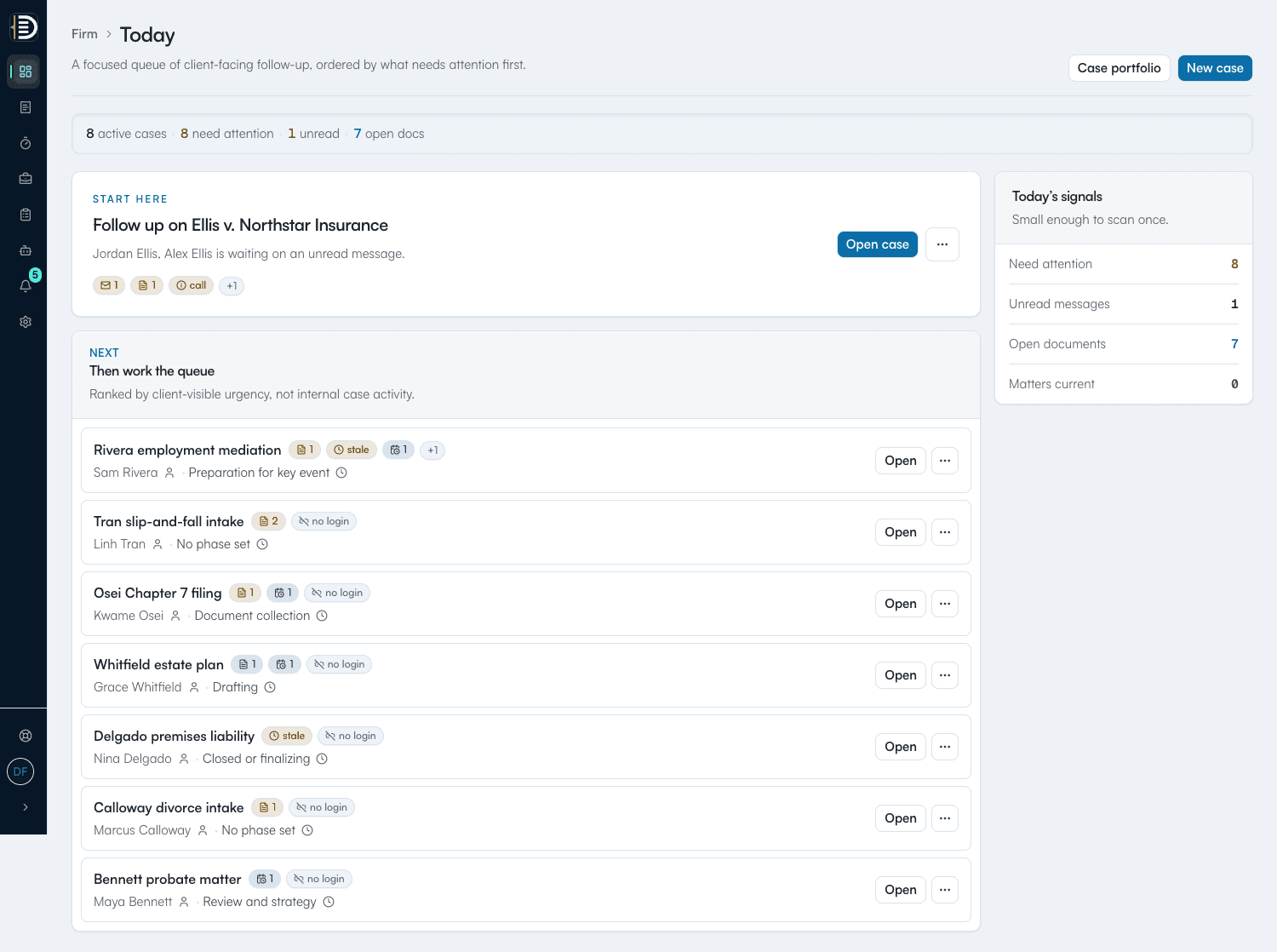
Firm workspace

Firm next action

Follow up on documents

Rivera employment mediation

1 overdue

Rivera employment mediation

Sam Rivera · Preparation for key event

1 unread

Update sent 12d ago

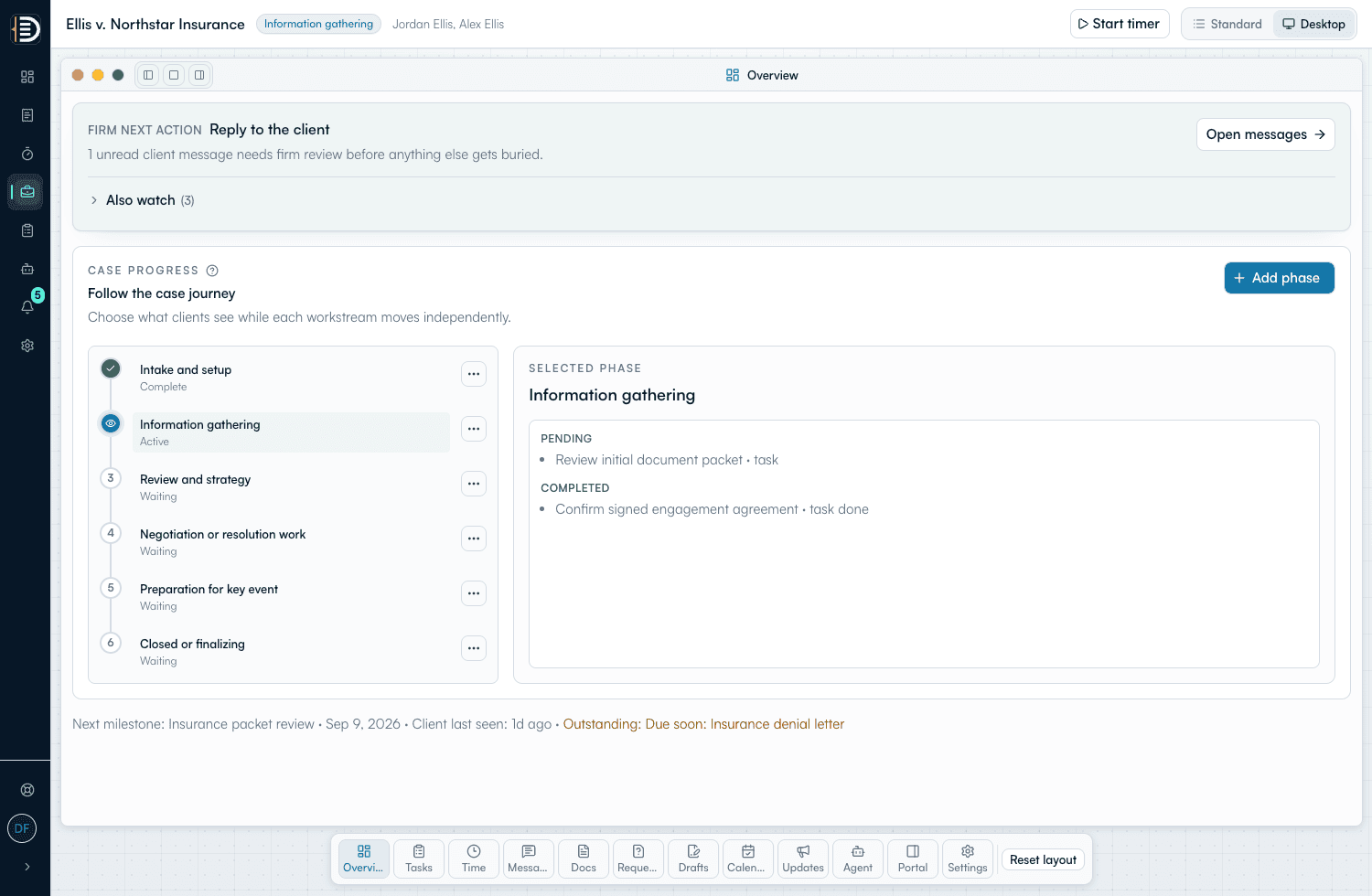
Ellis v. Northstar Insurance

Jordan & Alex Ellis · Information gathering

2 documents

Client seen yesterday

Garcia estate plan

Elena Garcia · Review and signing

On track

Update sent today

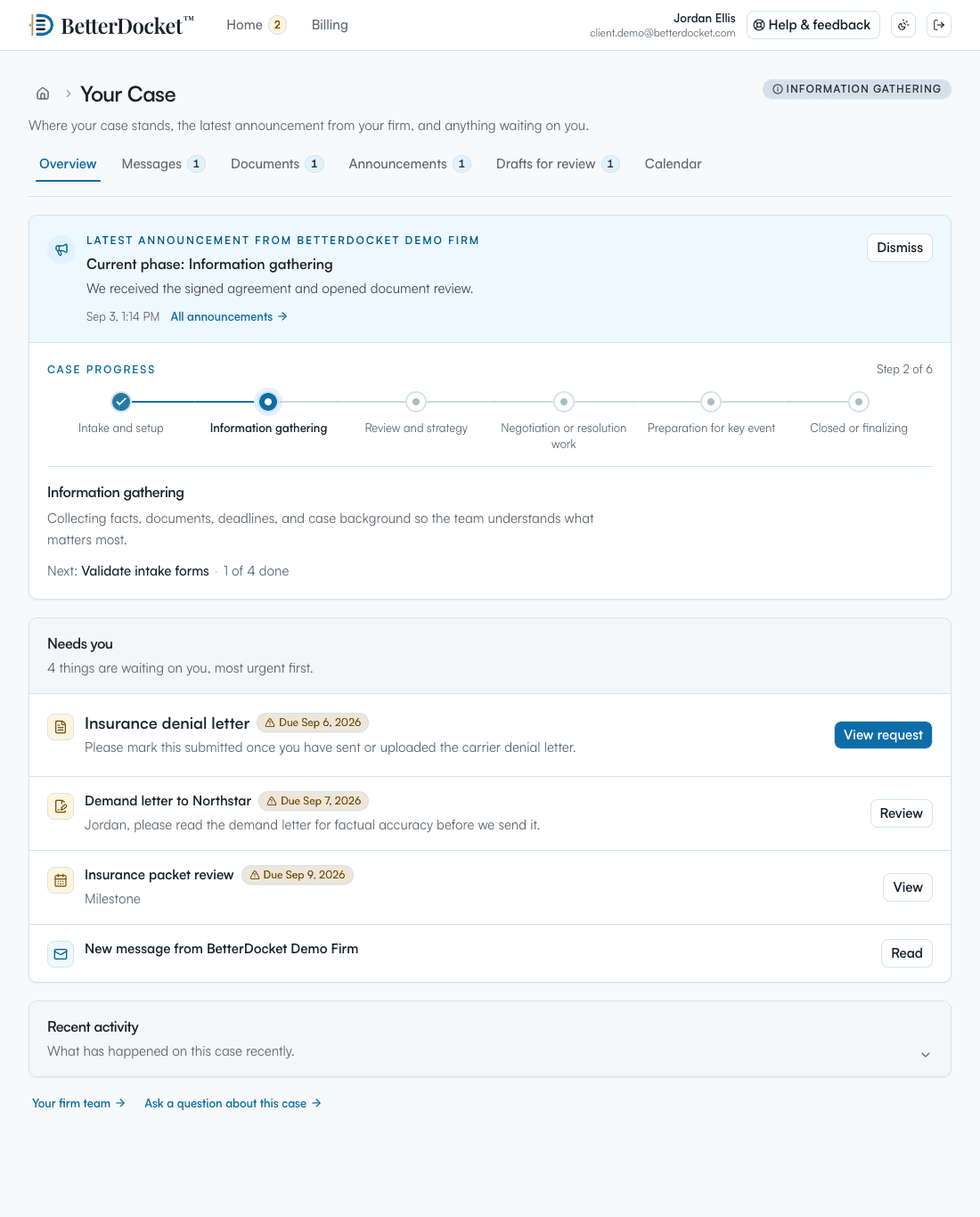
Client portal

Your next step

Upload recent pay stubs

Due Friday · requested by your firm

Preparation for key event

Your firm is preparing the mediation packet now.

Recent pay stubsDue Fri
Driver licenseReceived

Designed around less follow-up

  • One case
  • One client-facing place
  • One clear attention queue

The problem

Keeping clients informed shouldn’t consume the day.

  • Routine status questions spread across calls, email, and voicemail.
  • Requested documents arrive late—or somewhere staff has to track down.
  • Every follow-up starts with reconstructing what happened last.
  • No clear queue shows which clients or matters need attention.

With BetterDocket

Turn client follow-up into a clear, shared queue.

Messages, status updates, document requests, and next steps stay tied to the matter. Clients see what is happening and what they owe the firm. Your team sees where attention is needed, with less manual chasing and more time to move the legal work forward.

Before

Email thread
Missed call
Text message
Drive link

After

Latest updateToday
Medical recordsOpen
Availability3 windows

Administrative relief

Clear the follow-up work. Make room for legal work.

BetterDocket is not a full practice management system. It gives your team one clear way to keep clients informed, collect what is needed, and know where follow-up belongs—without pulling focus from the work only your team can do.

Fewer repeat updates

Post a clear status update once. Clients can see where the case stands and what happens next.

Answer “any news?” before it becomes another call.

Firm updateToday
Client notifiedSent

Less document chasing

Request documents in one place, keep open requests visible, and receive uploads with the matter.

Know what is missing without searching every inbox.

Medical recordsOpen
Availability3 windows

Clear priorities

See unread replies, overdue requests, stale updates, and upcoming client-facing dates in one queue.

Your team knows which matters need attention now.

Stale update12 days
Unread reply1

What it looks like

One case. Two views. Both calmer.

The firm sees actionable case state. The client sees what just happened and what to do next. They see each other.

Firm workspace

Active matter

Rivera v. Trent

Discovery

Next step

Client to upload medical records by Fri 5/23

Sent 2 days ago

Send firm update

“We received the medical records. Reviewing next.”

Posts to the client portal

Documents requested

3 of 5
  • Insurance declarations pageUploaded by client · 2d
  • Driver licenseUploaded by client · 4d
  • Medical recordsOpen · due Fri 5/23
  • Repair estimateOpen · awaiting client

Recent activity

  • You sent an update · 10:24a
  • Client uploaded Driver license · Mon
Preview of the BetterDocket firm workspace showing a single active matter.
Client portal

Your case

Rivera v. Trent

Discovery phase

From your firm · today

We received the medical records. Reviewing them next — we will follow up by Monday.

What we need from you

  • Medical recordsDue Fri
  • Repair estimateAny time
  • Insurance declarationsReceived
Preview of the BetterDocket client portal on a phone-sized frame.

How it works

A lighter client communication workflow in three steps.

  1. 01

    Invite the client

    Add the client to the matter and they get a private portal — no app store, no setup.

    Client invitedPortal ready
    Matter scopedPrivate
  2. 02

    Capture what the matter needs

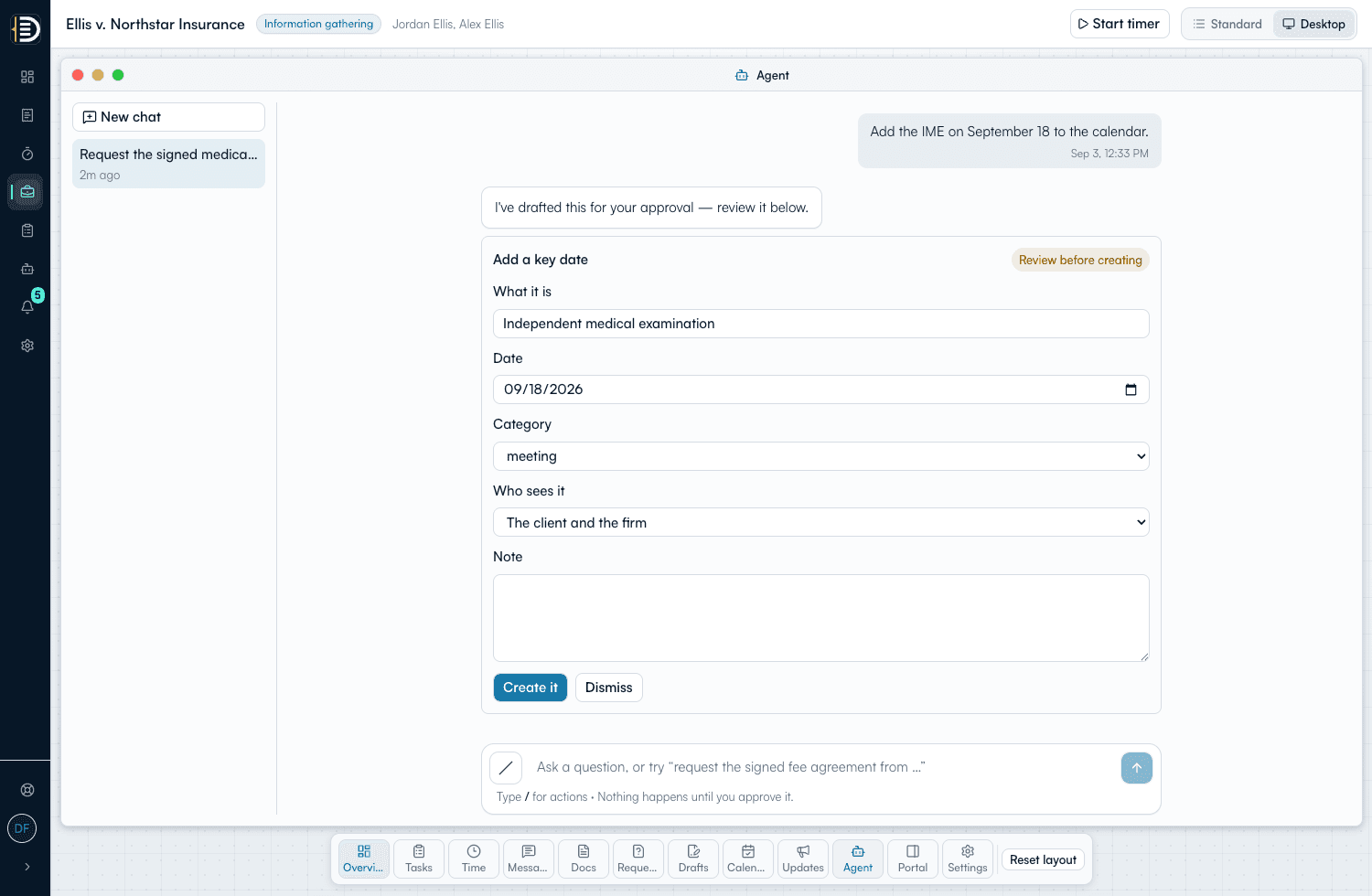
    Request documents, log key dates, post status. Everything stays tied to the case.

    Medical recordsOpen
    Review dateMay 29
  3. 03

    Send one-click updates

    Quick firm updates land in the portal so clients stop asking and you stop repeating yourself.

    Update draftedReady
    Posted to portalToday

For firms

Reduce the administrative chase. Protect time for legal work.

Unread client reply1
Open document requests4
Upcoming client dates2
  • Cut repetitive status calls and inbox-archeology.
  • Send one-click firm updates that land in the client portal.
  • Track open document requests at a glance.
  • Capture availability and key dates per matter.

For clients

See what the firm is doing for you.

Latest firm updateToday
Medical recordsOpen
AvailabilityNeeded
  • See exactly where the case stands — no waiting on a call back.
  • Find the latest firm update without scrolling email.
  • Upload what the firm asked for in one place.
  • Know what is happening next and when.

Questions

Frequently asked

Is this a full case management system?

No. BetterDocket focuses on client visibility and the supporting operations that protect legal-work time: communication, document requests, time tracking, and client invoicing. It does not provide trust accounting, Client Funds management, online payment collection, court filing, or AI legal analysis.

How does the client experience work?

Clients get a private portal tied to their case. No app store, no setup. They see status, next steps, the latest firm update, and any open document requests. They can upload directly into the case.

How is client data protected?

Authorization runs through row-level security at the database layer, which scopes every read and write to the relevant firm, client, and case. Case documents live in private storage behind the same checks. We are an early-stage product without a SOC 2 or an independent penetration test yet, and our security page spells out exactly what we do today and what we do not yet offer.

Will it work on a phone?

Yes. Both the firm workspace and the client portal are responsive and built for the browser, so there is nothing to install.

What kind of firms is this for?

Solo practitioners and small firms whose clients ask “any news?” a lot, and whose document intake lives across five inboxes. Family law, estate planning, personal injury, immigration, and similar relationship-heavy practices.

Spend less time on client follow-up.

Keep clients informed, collect what each matter needs, and protect more time for legal work.